
















Step‑by‑Step Guide to Registering a Private Limited Company in Nepal (2026)
A clear, up‑to‑date walkthrough for registering a private limited company in Nepal, covering name reservation, document preparation for local and foreign promoters, fee payment, online submission, and post‑incorporation compliance, with official OCR sources cited.


Overview
Registering a private limited company in Nepal is managed by the Office of Company Registrar (OCR). The whole workflow — from name reservation to post‑incorporation filings — can be done online, though each stage has its own document and fee requirements that are refreshed periodically. The details below follow the procedures and fee schedule published by the OCR as of September 2026 (source: Office of Company Registrar, ocr.gov.np).
Step 1: Reserve a company name
Log in to the OCR name‑reservation portal with your registered email. The system now requires a Class‑2 digital signature certificate for every promoter and accepts PDF, JPEG, or PNG files up to 2 MB each (Office of Company Registrar, Name Reservation Guide, ocr.gov.np/name-reservation). After you upload the proposed names and the signed declaration, the portal issues a reservation certificate valid for 30 days.
Step 2: Prepare incorporation documents
Local promoters
Each Nepali promoter must provide a citizenship‑certificate copy, a recent passport‑size photograph, and a signed consent letter. The memorandum and articles of association must follow the prescribed format and be signed by all promoters (Office of Company Registrar, Incorporation Checklist, ocr.gov.np/incorporation-checklist).
Foreign promoters
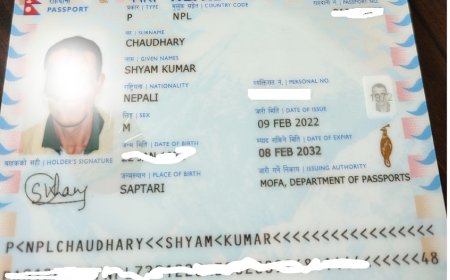
Foreign nationals need a notarized passport copy, a valid visa or work permit, and a board resolution from the parent entity authorising the subscription. An additional affidavit confirming the source of funds is now mandatory (Office of Company Registrar, Foreign Promoter Guidelines, ocr.gov.np/foreign-promoters).
Step 3: Pay the registration fees
Fees are calculated on the authorised‑capital slab. The current fee schedule was last updated in January 2026 and is published on the OCR fee page (Office of Company Registrar, Fee Schedule 2026, ocr.gov.np/fees). Payment can be made through the portal via e‑banking, mobile wallet, or bank deposit slip; the receipt is automatically attached to the application.
Step 4: Submit the application online
Upload all signed documents, the fee receipt, and the name‑reservation certificate to the incorporation module. The system runs an automatic validation check; any missing file triggers a prompt before final submission. Once submitted, the OCR typically issues the certificate of incorporation within 5‑7 working days (Office of Company Registrar, Processing Times, ocr.gov.np/processing-times).
Step 5: Post‑incorporation compliance
After receiving the certificate, the company must obtain a Permanent Account Number (PAN) from the Inland Revenue Department, register for VAT if turnover exceeds the threshold, and file the first annual return within six months of the financial year end. The OCR portal provides direct links to the tax‑registration services (Office of Company Registrar, Post‑Incorporation Guide, ocr.gov.np/post-incorporation).
Timeline at a glance
Name reservation: 1 day (online). Document preparation: 2‑5 days depending on promoter location. Fee payment and submission: same day. OCR review and certificate issuance: 5‑7 working days. Tax registrations: additional 3‑10 days. Overall, most applicants complete the process within two to three weeks.
What's Your Reaction?